Posts

Make Your Own Minecraft Skin Blanket!

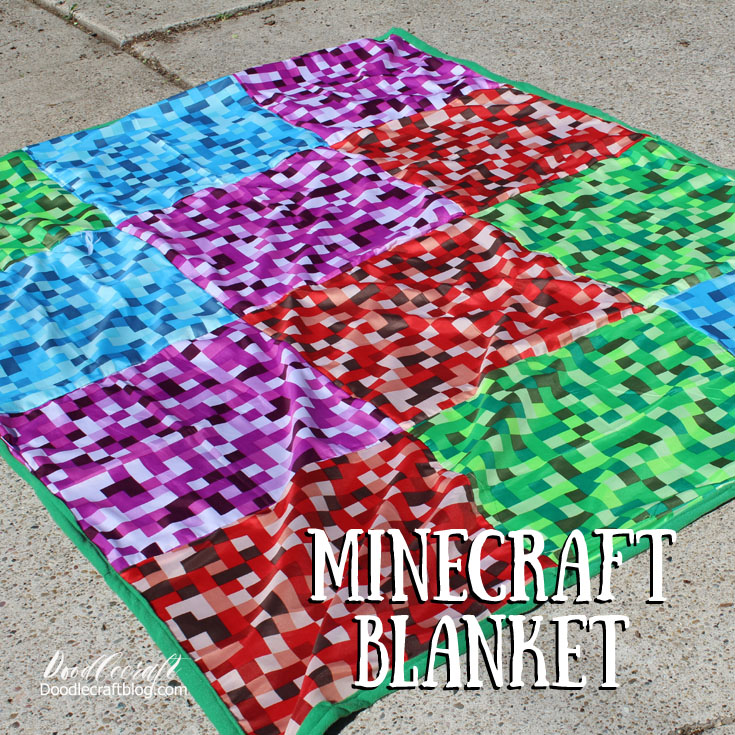
I received product in exchange for this post. Affiliate links included.  Make Your Own Minecraft Skin Blanket! Okay, my daughter loves Minecraft. It's easy to let kids spend hours a day playing video games. Some days I insist they learn other skills...today, it's sewing. I told her I was going to teach her how to make her own Minecraft skin. She was thrilled because she likes customizing her character...let's just say after I told her it was actually a blanket, she was a little disappointed! So this is the perfect way to teach young adults how to sew. Tell them you are helping them make their own Minecraft skin.   They love it when you speak their language. Minecraft Blanket! You will need 12 pixelated bandannas from Oriental Trading! ( or any bandannas of your choice ) And a piece of fleece backing...slightly larger than 60 by 80 inches. I let my daughter lay out the bandannas to make a pattern she likes. just having to sew 12 squares is so...

Fantastic Pun Teacher Appreciation Week Gift Idea!

Fantastic Pun Teacher Appreciation Week Gift Idea!! My daughter is totally into puns and came up with this fun one. I had her gather up some sticks from the yard. You will also need Fanta brand soda and Ribbon.  Just print out this fun printable! Right click to save off, personal use only. Then I cut them apart and mounted them on cardstock.  Tie the stick to the drink on the right side. That way when you look at it you read it as Fanta-Stick! Tape on the tag! Great gift idea for Teacher Appreciation week (first week of May) Or any other time you need a handout or something fun to give to friends! Neighbor gifts, maybe! Here's some more fun puns! Alpaca Bag Palindromes Shirt Koala Tea Shirt Atom Shirt Humerus Shirt Mountains are Hill Areas Shirt This post published on Doodlecraft first 

Make an Ornate Frame Photo Card with Cricut Explore Air 2

I received product at no cost in exchange for this post. Affiliate links included.  All opinions are my own. Make an Ornate Frame Photo Card with Cricut Explore Air 2 Perfect for Mother's day! I used my Cricut Explore Air™ 2 machine to make this darling card! Will I be required to use cartridges with the Cricut? A long time ago, Cricut machines used cartridges.  You had to get all the cartridges in order to get the shapes, fonts or designs you wanted.  That is no longer the case!  You can use the stock images (most of which are included in Cricut Access subscription) and a few that cost a little extra, like a dollar.  If you have used cartridges in the past, there's a place to insert the cartridge still and upload all your images into your account.  Then you never need to use your cartridge again! Now it's simple to use Cricut Design Space to make your own custom projects using stock images! Go to Cricut Design Space: Click "Create New Project...